

Convert handwritten documents to editable Word
Upload a scan or photo of handwritten notes or a form filled in by hand. The handwriting comes back as typed Word text you can edit.
- Upload
- Choose pages
- Convert
Upload a PDF
or drop a PDF or image here
- 1 page free, no account
- PDF, JPG, PNG · 50 MB
- Deleted after 24 h (how we handle your files)
Handwriting you can edit
-
Typed text, not a picture
Handwritten words become ordinary Word text you can edit, search and copy.
-
Printed and handwritten together
Forms keep their printed labels, boxes and tick boxes, with the handwritten answers beside them.
-
See what was handwritten
With an account, turn on Highlight handwritten text to mark every handwritten word in the Word file.
-
Possible misreads listed
Words that may be misread are listed for you to check. Your text is never changed for you.
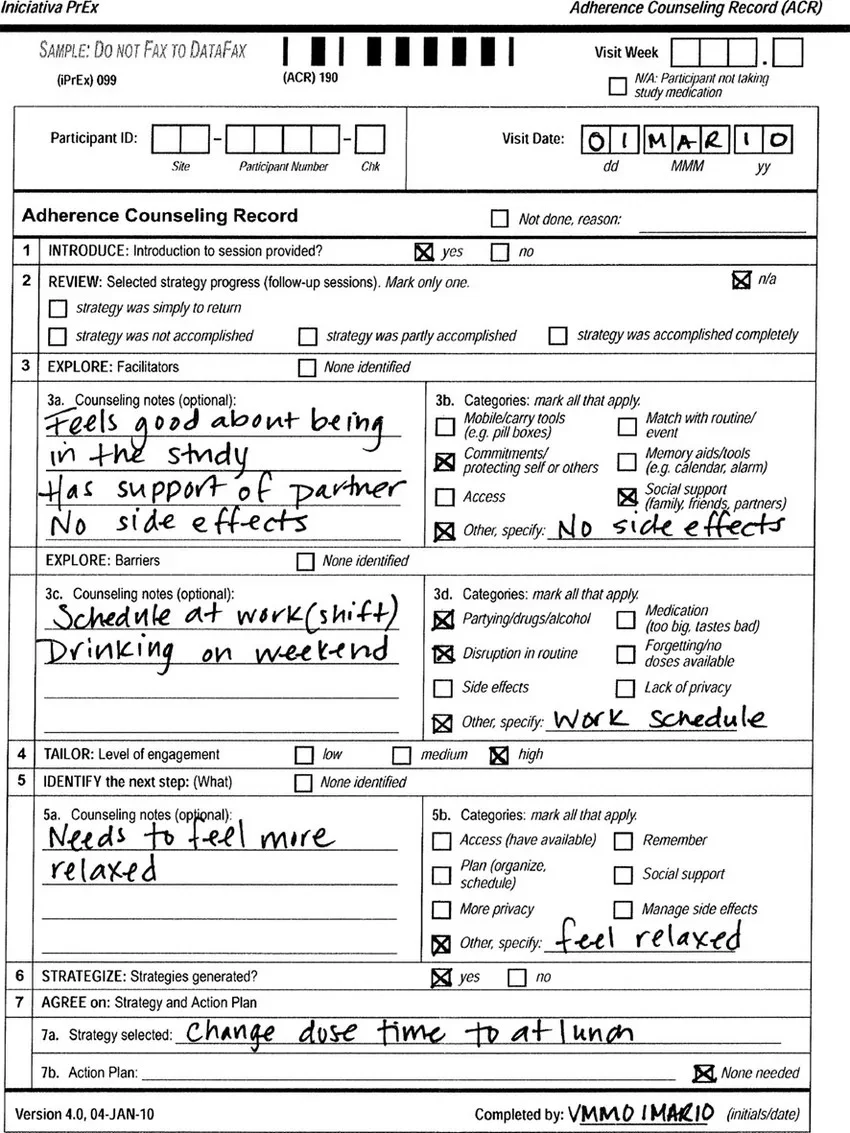
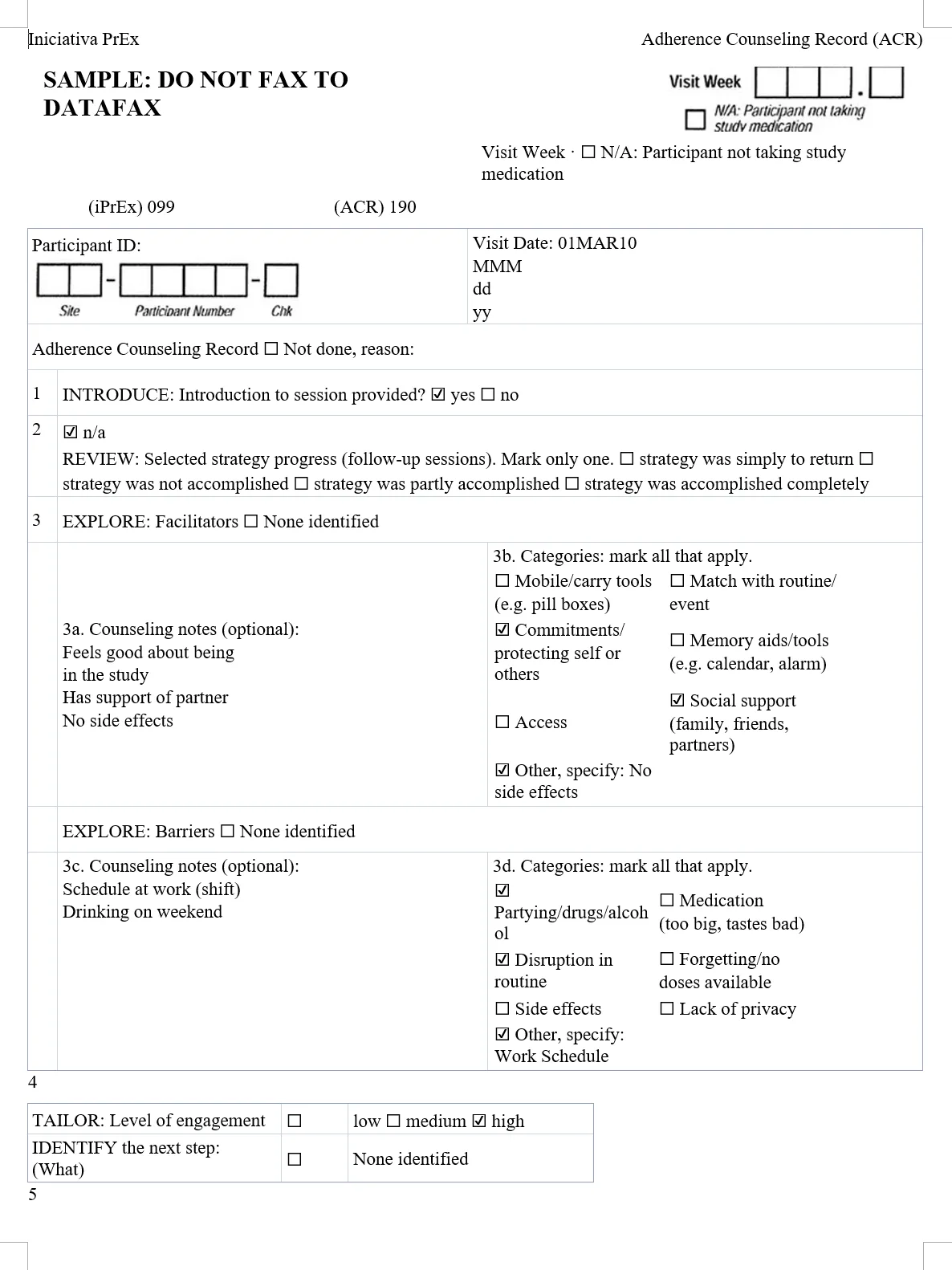
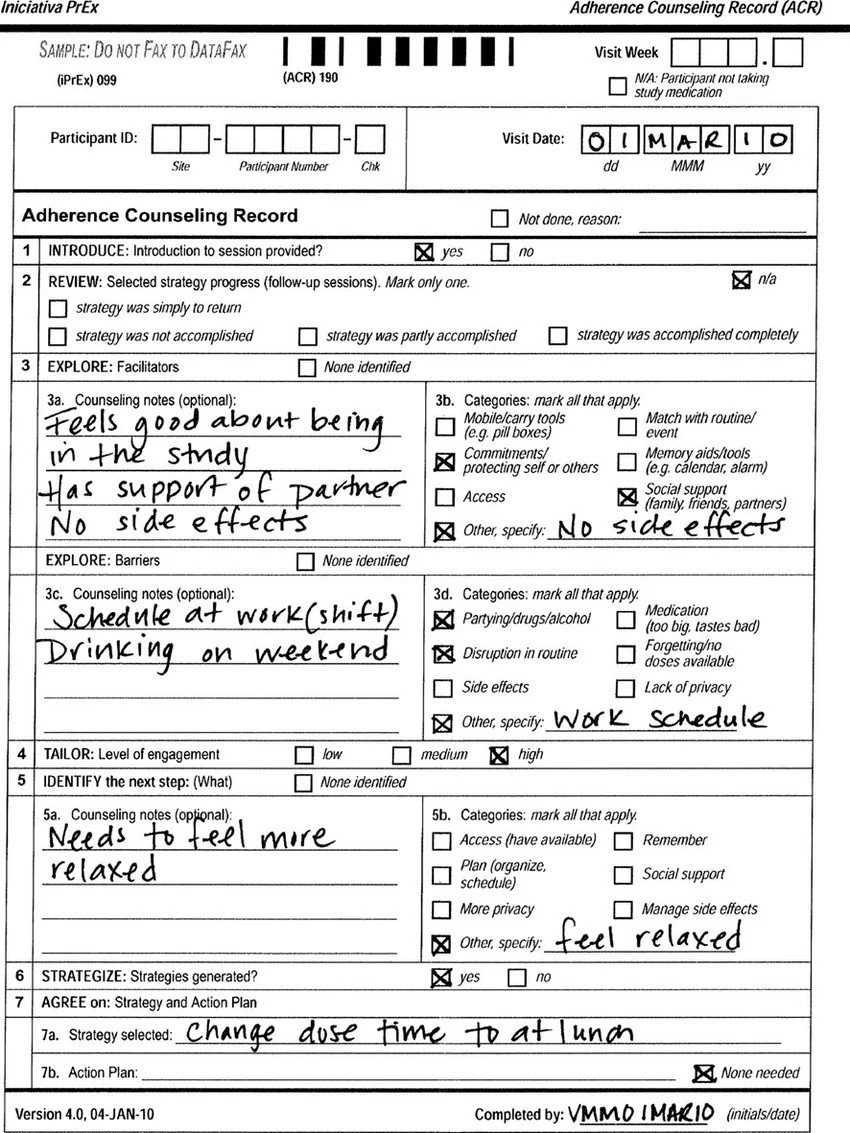
A real handwritten form, converted and unedited
A sample counseling record with handwritten notes and tick boxes. This is exactly what came back.
What came through, and what needed fixing
Came through as editable Word
- Handwritten notes as typed text: “Has support of partner”, “Change dose time to at lunch”
- Tick boxes beside their options: “☑ yes ☐ no”, “☑ Partying/drugs/alcohol”
- The boxed form as Word tables, with no text boxes or floating frames
Needed a quick fix by hand
- The initials and date after “Completed by:” read as “VMMO IMARIO”
- The empty Participant ID boxes stay a picture, and the form runs onto a second Word page
Check it yourself: the scan (JPG, 273 KB) · Word result (DOCX, 31 KB)
Questions about handwriting
How accurate is handwriting recognition?
It depends on the writing. Neat block letters come through best; joined-up writing, names and numbers need more checking. Signatures can come through as stray text.
Can I see which words were handwritten?
Yes, with a free account. Turn on Highlight handwritten text in the conversion settings and choose one of five colours. The free page without an account uses the default settings.
Which languages can it read?
Typed and handwritten text in many languages, including Chinese, Japanese and Korean. Converting an Arabic or Hebrew PDF: text isn’t laid out right to left yet. Translating into Arabic, Hebrew, Persian or Urdu: the Word file is set right to left.
Can I upload a photo?
Yes. JPG, PNG, WebP, GIF and BMP images are converted as one page, up to 50 MB. See images to Word.
Convert your own handwriting
Your first page is free. No account, no card.